Why BrowserOS Could Replace Your Usual Browser for Everyday Tasks
BrowserOS is an open source AI browser built on Chromium that runs AI agents locally and keeps your data private. It feels familiar, works with your extensions, and lets you automate tasks using natural language while giving you full control over API keys and models.

BrowserOS Brings AI Agents Into Your Browser With Privacy and Control
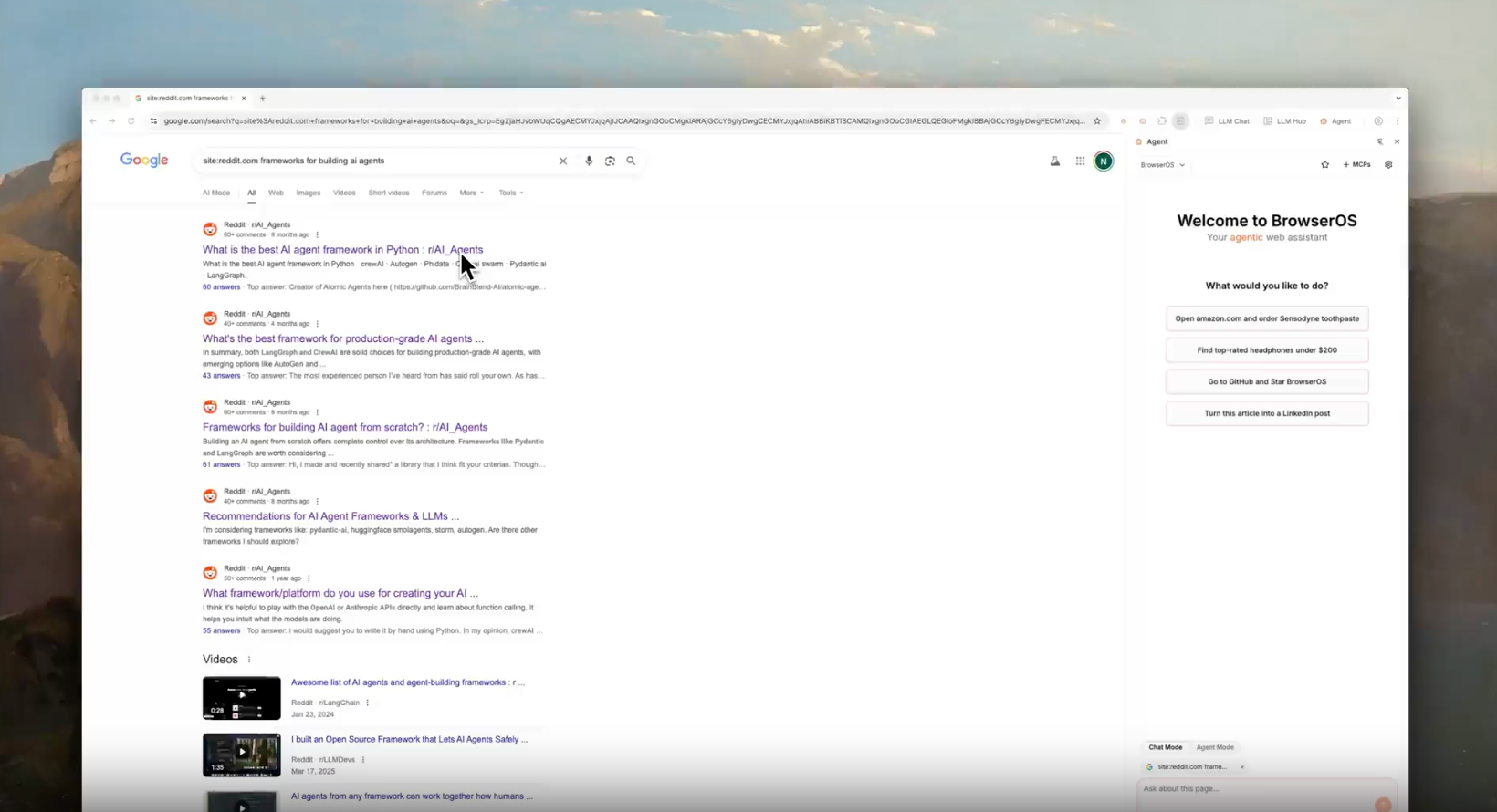
If your day to day work involves a lot of browsing, research, or repetitive tasks online, you’ve probably wished your browser could do more than just display web pages. BrowserOS is an open source browser trying to change how we interact with the web by making AI agents a first class feature inside the browser itself. GitHub
What BrowserOS Is All About
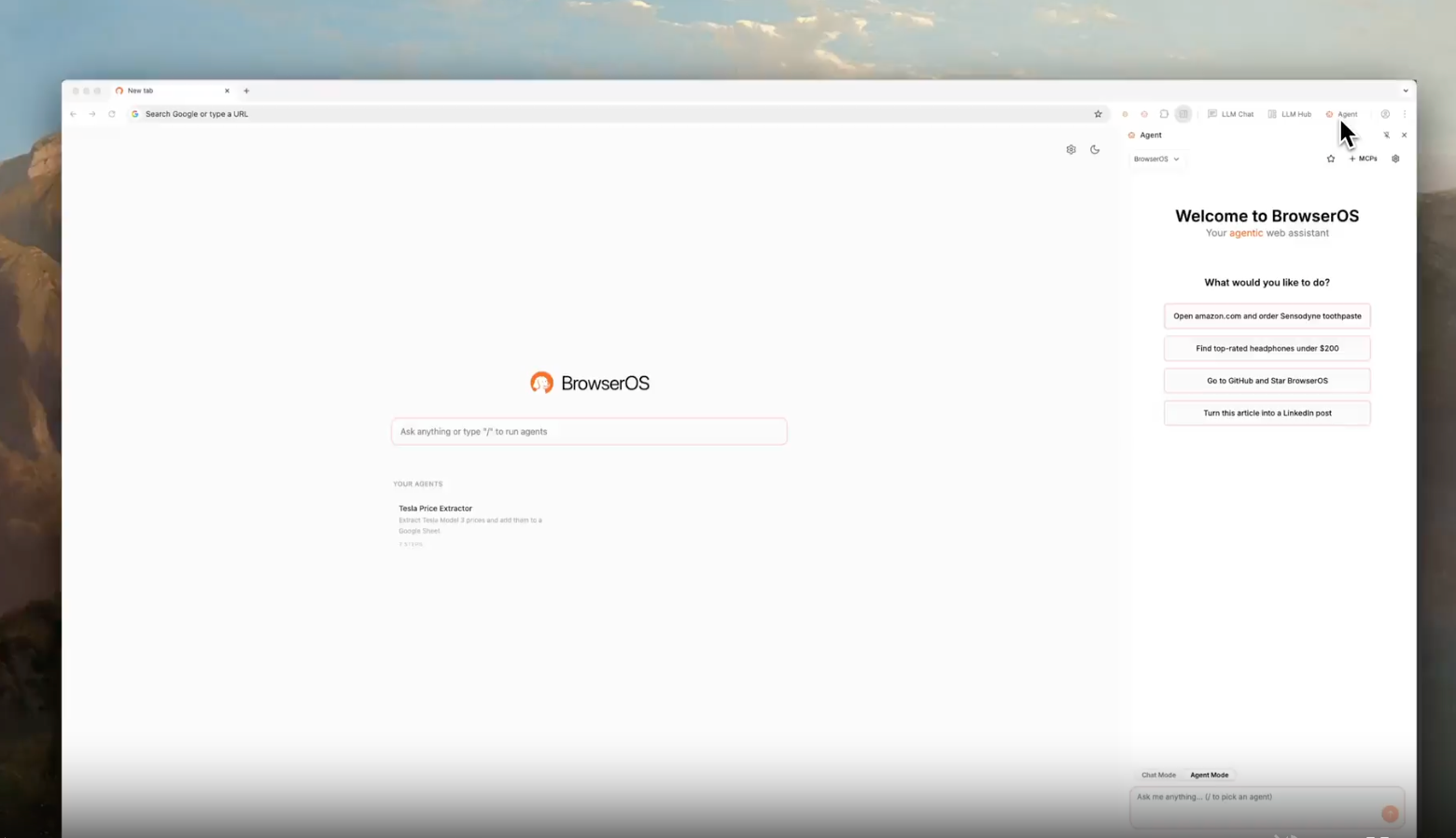
At its heart, BrowserOS is a Chromium-based browser that does what Chrome does while adding something many of us have been dreaming of: AI agents that run right inside the browser and act on your instructions. You can ask BrowserOS to do things for you, like find specific information, fill forms, or automate repetitive actions, just by describing what you want. BrowserOS Documentation
Because it is open source and privacy focused, BrowserOS lets you use your own API keys for AI services like OpenAI or Anthropic. If you prefer to keep everything local, you can also connect it to local models running on your machine through tools like Ollama or LMStudio. This means your browsing data and AI interactions stay on your computer, not someone else’s servers.
Familiar Interface With Extra Intelligence
One thing that makes BrowserOS easy to try is that it feels familiar. If you use Chrome, Firefox, or any Chromium-based browser today, you will feel right at home. You get tabs, extension support, bookmarks, history, and all the browsing basics you expect. It also makes it easy to import your Chrome data like bookmarks and extensions so you don’t lose your setup when switching over.
But with BrowserOS, you also get AI-powered workflows that feel very different from a traditional browser. Instead of just typing in a search query, you can describe what you want the browser to do and let its built-in agents execute tasks, gather data, and even repeat automation.
Privacy and Control at the Center
Privacy is a big part of the BrowserOS philosophy. Unlike many modern browsers and cloud AI assistants that collect user data, BrowserOS gives you control over how your information is accessed and stored. You decide which AI models to use, which keys to connect, and how your data is treated. There is no hidden tracking or unwanted telemetry just your browsing, your way.
That emphasis on privacy and data control makes it appealing for developers, privacy enthusiasts, or anyone who wants the power of AI without handing over their info to a big tech platform.
Automating the Web With AI Agents
One of the coolest parts of BrowserOS is how it handles AI agents. Say you want to scrape data from a few web pages, summarize it, and collect it into a file. You can describe that in plain language and let the browser’s agent go to work instead of clicking through manually. This kind of automation was previously possible only with scripts or external tools. BrowserOS brings it into the browsing experience itself.
This opens ways to automate workflows for content research, form filling, monitoring changes on specific sites, and more all without extra programs or command line magic.
Where It Is Today and What to Expect
BrowserOS is active and community driven. It is already running on Windows, macOS, and Linux, and continues to receive improvements with new releases that fix bugs and make importing and basic features smoother. Because it is early in its evolution, you may notice some rough edges or learning curves, especially on onboarding or deeper configuration steps. But the direction feels very promising.
As the project grows, expect better integrations, smarter agent controls, and options for more local workflows that truly make the browser an intelligent assistant for your daily tasks.
Should You Try It?
Yes, especially if you are curious about how AI can change everyday browsing. BrowserOS does not just give you an AI chatbot inside a browser. It gives you the ability to build actions and automation based on natural language instructions while keeping data private and under your control. For people who work with research, content aggregation, or repetitive online tasks, this kind of automation can save real time and frustration.
If you like the idea of a browser that helps you do things instead of just showing things, BrowserOS is worth a download and a spin.